
There’s nothing worse than relaxing in the sunshine, only for your phone to suddenly flash a warning screen and shut down because it’s boiling hot.
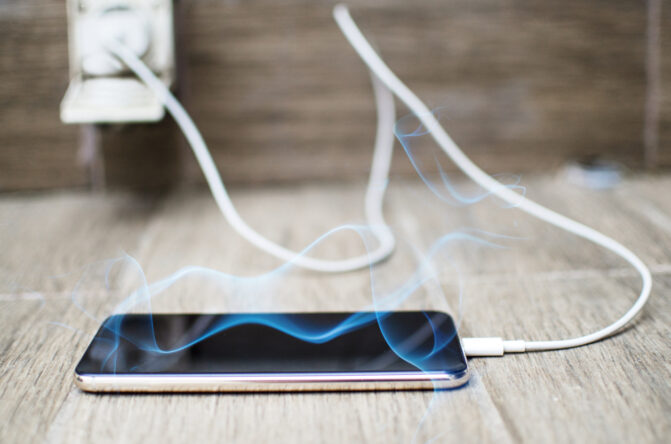
Our mobiles are packed with powerful tech, but they don’t have built-in fans, meaning they rely entirely on the surrounding air to stay cool. When a British summer heatwave hits, a mix of direct sunlight, heavy app use, and thick protective cases can quickly push your device past its limits.
Leaving your phone to roast doesn’t just cut off your music or map; it can also cause serious permanent damage to your battery life. Fortunately, preventing a total meltdown is pretty straightforward. By making a few simple tweaks to how you use and store your device in the heat, you can keep your phone running perfectly smoothly all summer long.
Why phones struggle in the heat
Most smartphones are designed to work safely between 0 °C and 35 °C, a range that’s surprisingly easy to exceed on a warm British summer’s day, especially once you factor in direct sun or a hot car interior. Once the screen ramps up brightness to fight the glare, the phone ends up working harder than usual, which generates even more heat from inside its own components.
To protect itself from permanent damage, a phone will often go into a kind of defensive mode when it overheats. That sudden dimming screen or stuttering app isn’t a fault or a sign something’s broken, it’s the phone deliberately cutting back power to cool itself down before any real harm is done to the battery or processor.
Keep it out of direct sunlight.

Shade matters more than most people think, both while actively using a phone and while it’s simply sitting idle on a table or windowsill. If a phone gets too hot, brands like Apple, Google, and Samsung will usually display a warning telling you it needs to cool down, sometimes switching off features like brightness control, charging, GPS, or even the camera flash until the temperature drops back to a safe level.
Leaving a phone on a car dashboard or in a conservatory is one of the worst things you can do to it in hot weather, since both spots can act almost like a greenhouse. Keeping it away from your own body heat helps too, so swap a tight trouser pocket for a looser outer pocket or a bag, and consider lowering the screen brightness manually instead of relying on auto-brightness pushing it to maximum in bright conditions.
A few extra tricks worth knowing

Switching on dark mode in your display settings is a small but genuinely useful habit, since it reduces how much power your screen uses and can slightly lower heat output as a result. Many people also find it easier to read their screen in bright sunlight once dark mode is switched on, so it’s a win on two fronts. It’s a small change, but combined with the other tips here, every bit of reduced strain on the phone adds up over the course of a hot day.
Avoid heavy tasks when it’s already warm.

How a phone gets used matters just as much as the weather surrounding it. Gaming, streaming video, and running on-device AI features all generate noticeable heat even on a perfectly normal day, so avoid them altogether when temperatures outside are already pushing into the high twenties or thirties.
Heavy camera use, especially recording video for long stretches or repeatedly firing off the flash, adds to the problem too. The same goes for GPS navigation over long periods, particularly inside a hot car where the heat has nowhere to escape, so switching the screen off and following voice directions instead can make a genuine difference to how warm your phone gets during a journey.
Turn on power saver mode early.

Rather than waiting for a phone to force power saving mode on you once it’s already overheating, switching it on yourself ahead of time helps avoid the problem before it even starts. This typically slows down the processor and reduces screen resolution and refresh rate, easing the overall strain placed on the device.
Some Android phones let you fine-tune exactly what gets limited, including things like always-on display, 5G connectivity, and background app activity, with some offering even stricter “extreme” or “ultra” modes for particularly tough situations. Closing unused apps and switching on airplane mode when you don’t need data can help too, though you shouldn’t go overboard with this, since constantly closing and reopening apps can actually drain battery life rather than save it.
Be careful with charging.
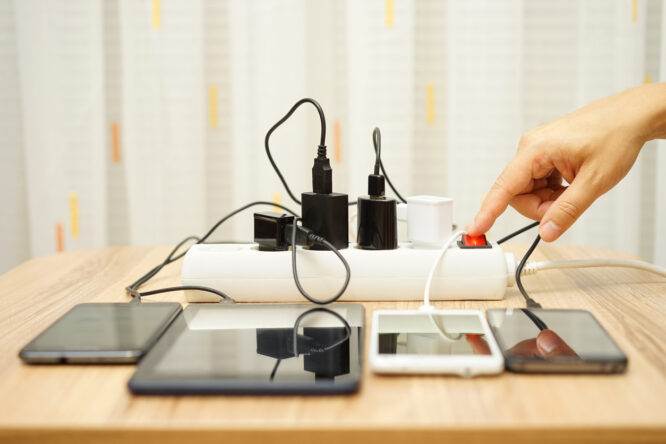
Charging at normal recommended speeds shouldn’t cause major heat issues under typical conditions, but fast charging definitely can, and that effect only gets worse once warm weather is added into the mix. Wireless charging adds extra heat too, since the process simply isn’t fully efficient, and a poorly aligned charging coil between the phone and the charger can make things even warmer than they need to be.
Charging a phone while actively using it in direct sun is a bad idea, since it essentially stacks two sources of heat on top of one another. The same goes for leaving it plugged in inside a warm room or sunny spot, even if you’re not actively using it at the time, since heat builds up regardless of whether the screen’s switched on.
Take the case off.

A phone case might offer great protection against drops, but it can also trap heat that would otherwise escape into the surrounding air, especially with thicker, darker, or more rugged designs. If you’re outside in the sun for a prolonged period, taking the case off can genuinely help the phone cool down faster than it would otherwise.
Just be extra careful handling it without the usual protective layer, since dropping a phone without its case can cause far more lasting damage than a bit of extra warmth ever would. Resist the temptation to cool a hot phone down quickly with an ice pack or by popping it into a fridge or freezer, since a sudden drop in temperature can damage internal components just as easily as overheating can in the first place.
Keep software updated.

Software updates are designed to help phones run more efficiently overall, so leaving them sitting unfinished isn’t doing your device any favours, particularly during hot weather when every bit of extra efficiency counts. Installing them as soon as they’re available is generally a good habit to get into year-round, not just in summer.
That said, installing a large software update itself can cause a phone to heat up temporarily while it processes everything in the background, so it’s best to do this somewhere cool and shaded rather than sitting out in direct sun while it runs.