
We’ve all had that sudden, sickening jolt of panic when you pat your pockets, rummage through your bag, and realise your phone is nowhere to be found.
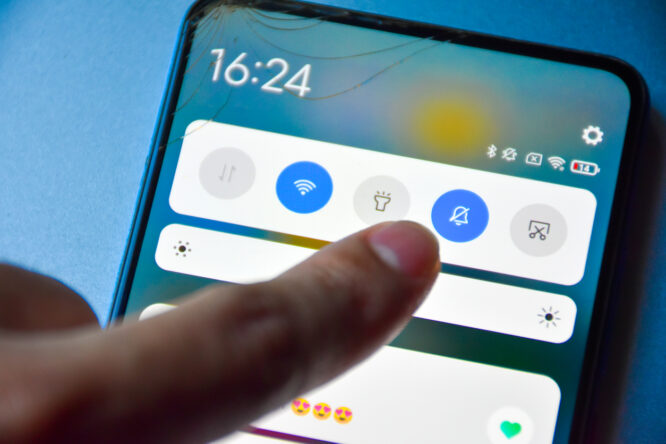
In the old days, you’d just borrow a mate’s mobile, ring your number, and listen out for the ringtone coming from under a pile of laundry or between the sofa cushions. That classic trick is completely useless when your device is switched to silent, leaving you tearing the house apart in total silence.
Luckily, you don’t have to spend your entire afternoon frantically checking every room or tearing up floorboards. Whether you’re using an iPhone, an Android, or a few handy gadgets you’ve already got sitting on your wrist, there are several clever tricks that can override your silent settings or pinpoint your handset in seconds. Here’s how to track down your missing phone before the battery completely runs out.
Check these settings are switched on first.

The main method relies on Apple or Google’s built-in tracking features, which are usually enabled by default but worth double-checking. On an iPhone, head to Settings, tap your name, then Find My, and make sure Find My iPhone is switched on. On Android, open Settings and search for Find Hub, though the exact menu path varies by manufacturer.
It’s also important to leave Location Services switched on generally, since this keeps your phone’s last known location up to date in case you ever need to track it down. If you need to sign in to either service from a device you’re not normally logged into, you’ll need your Apple or Google password to hand, so definitely have that memorised.
How to find an iPhone

Apple’s Find My service can make an iPhone play a sound even when it’s set to silent or a Focus mode is active. You’ll need access to another Apple device signed into your Apple Account, or you can use Find My through iCloud in any web browser. If Family Sharing and location sharing are set up, another family member can also help locate the phone through their own Find My app.
From a browser, visiting iCloud.com/find and signing in lets you select your iPhone from the device list and choose Play Sound to make it ring. From another Apple device, opening the Find My app, tapping Devices, selecting the missing iPhone and tapping Play Sound achieves the same result. If the map shows the phone nearby, but it’s still not visible, follow the sound rather than relying purely on GPS, since location accuracy isn’t always precise enough to pinpoint the exact room.
How to find an Android phone

Google’s Find Hub works similarly for Android devices, showing the phone’s location and making it ring at full volume even when set to silent or vibrate. This can be accessed from another Android device with the Find My Device app installed, or by signing in to the Android website through any browser.
From a browser, visiting android.com/find and signing in with the linked Google account allows you to select the phone and choose Play Sound. From another Android device, opening the Find Hub app, signing in if prompted, then selecting the phone and tapping Play Sound works the same way.
Try your voice assistant first.

If the phone’s likely somewhere nearby and a voice assistant like “Hey Siri” or “Hey Google” is already enabled, simply saying the wake word and asking it to play music or set a timer can be enough to locate it by sound alone.
This method isn’t as dependable as the dedicated Find My or Find Hub services, since it needs to already be switched on and the phone needs to be within earshot. Still, it’s a quick, easy thing to try before searching room by room.
Use a smartwatch if you have one.

A smartwatch can often locate a phone without needing to borrow anyone else’s device. On an Apple Watch, opening Control Centre and tapping Ping iPhone makes the phone play a loud sound even on silent. If the iPhone isn’t nearby, the Find Devices app on the watch shows its location on a map and can trigger the sound remotely, and if the phone’s offline, the watch will play the sound as soon as it reconnects.
Many Wear OS smartwatches include a similar Find My Phone feature for paired Android devices, though the exact steps vary depending on the watch manufacturer.
Ask a smart speaker for help.

If a phone is linked to a compatible Amazon Alexa or Google Home smart speaker, simply saying “Alexa, find my phone” or “Hey Google, find my phone” can trigger it to ring, provided the setup supports the feature. This isn’t available on every device or account though, and generally needs to be configured in advance to actually work when needed.
Consider a Bluetooth tracker.

Certain Bluetooth trackers, including Tile and select Chipolo models, can make a phone ring even when it’s on silent, working over Bluetooth as long as the phone stays nearby and remains paired with the tracker’s app.
Apple AirTags don’t offer this particular function, though. They’re built for tracking items like keys or luggage, not for making an iPhone itself ring, so anyone hoping to locate a misplaced phone specifically is better off relying on Find My or an Apple Watch instead.
You should be able to find your phone with at least one of these methods.

For anyone who regularly loses their phone down the side of the sofa or buried under paperwork, a Bluetooth tracker with a phone-finding feature can make a real difference. A quick double press is often considerably faster than tracking down someone else’s phone just to call your own.
Bluetooth trackers can look nearly identical on paper, but real-world performance varies more than expected, particularly around location accuracy, how easy they are to locate around the home, tracking reliability while on the move, and how loud their alerts actually are.