AI tools have slotted into all sorts of corners of daily life, from writing emails to planning meals to suggesting birthday gift ideas.
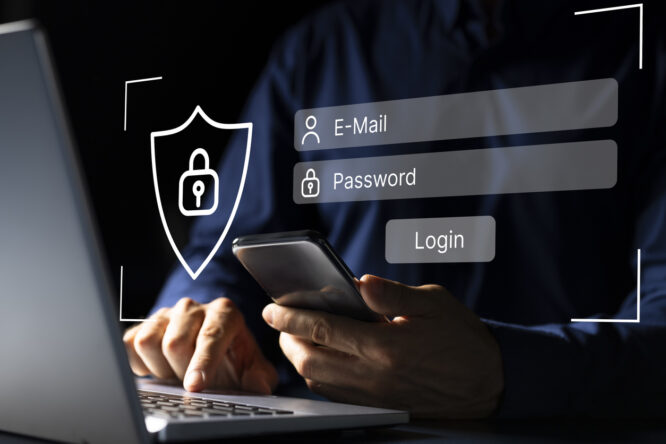
Because of that, it’s not a huge leap to think you could ask one to make you a strong password for your online accounts. The trouble is that recent cybersecurity research has found this is a genuinely bad idea, with AI-generated passwords turning out to be far weaker than they look. Here’s why letting a chatbot pick your password could leave your accounts wide open.
What the research actually found

A cybersecurity firm called Irregular recently tested some of the most popular AI chatbots, including ChatGPT, Gemini and Claude, by asking them to generate passwords over and over again. The results were alarming. The passwords looked random at a glance, with the usual mix of capitals, numbers and symbols, but they followed strikingly predictable patterns. When researchers asked one AI for 50 different passwords, they got just 23 unique results, with one specific password popping up ten times in a row.
That’s the opposite of what a secure password should be. Real password security relies on every password being genuinely random and one-of-a-kind, with no patterns that a hacker can pick up on. AI passwords had common starting letters, repeated structures, and similar character placement, all of which are gold dust for anyone trying to break into accounts.
Why AI is actually rubbish at randomness

The reason AI chatbots are bad at making passwords comes down to how they actually work. AI models are trained to predict the next most likely word, letter, or character based on huge amounts of text they’ve seen before. That’s brilliant for writing emails, summarising articles or having a conversation. It’s terrible for generating passwords, where the whole point is unpredictability.
When you ask a chatbot for a “random” password, it isn’t really choosing randomly at all. It’s drawing on patterns it’s learned from billions of examples, which means certain words and structures keep cropping up. Real random number generation, the kind used by proper security tools, doesn’t work like this. It pulls genuine randomness from things like tiny variations in computer hardware, which no human or AI can predict.
How hackers can exploit AI password patterns

Once cyber criminals notice that AI-generated passwords follow patterns, it becomes much easier for them to break into accounts using those patterns. They can add common AI-generated password structures to their dictionary attacks, which are systems that rapidly try millions of likely password combinations against an account until one works. A password that looks impressively complex to a human can be cracked in seconds if it follows a recognisable AI-style format.
This isn’t a theoretical risk either. Security researchers have already found AI-generated passwords appearing in real software code shared on developer platforms, with the same patterns repeating across different programs. Anyone with malicious intent can build a wordlist of AI-style passwords and use it to target accounts at scale. The very thing that makes AI useful, its ability to pattern-match, is what makes it dangerous for password generation.
The extra problem of where your password goes

There’s another issue beyond the strength of the password itself. When you ask a chatbot to generate one, your conversation is sent across the internet to a server, where it may be logged, stored or used to improve the AI. So even if the password were random, it now exists somewhere outside your direct control, sitting in a database that could potentially be breached at some point in the future.
Compare that with a dedicated password manager, which generates passwords locally on your device and never sends them anywhere unnecessary. With an AI chatbot, the password has been seen by a system that wasn’t designed as a secure password vault. It’s a small risk, but it’s a completely avoidable one. There’s no good reason to take it when better alternatives exist.
What you should be using instead

The answer is a dedicated password manager. These are apps designed specifically for this job, and they do it far better than anything else. Tools like Bitwarden, 1Password, NordPass, and similar services use cryptographic random number generators, which produce genuinely random and unpredictable passwords with no patterns at all. They also store every password securely, so you don’t have to remember dozens of complicated strings.
The bonus is that a good password manager will fill in your passwords automatically when you visit websites, so you don’t have to type them. Most are free or very affordable, and many phones and computers now have decent password managers built in, like iCloud Keychain on Apple devices or Google Password Manager on Android and Chrome. None of these will share your passwords with an AI or send them anywhere they don’t need to go.
The case for passkeys, the password’s clever cousin
If you really want to future-proof your accounts, look into passkeys. These are a newer, more secure alternative to passwords that are slowly being rolled out across major websites and apps. Instead of typing in a password, you simply unlock your device with your fingerprint, face or device PIN, and the website verifies you that way. There’s no password to be stolen, guessed or leaked because there isn’t one in the first place.
Passkeys are incredibly resistant to phishing attacks, too, since you can’t be tricked into typing one onto a fake website. They’re already supported by Google, Apple, Microsoft, Amazon, eBay, PayPal, and a growing list of others, and the list is expanding all the time. Switching to passkeys where they’re available is one of the simplest upgrades you can make to your online security.
Two-factor authentication makes everything safer

Whatever password system you use, turning on two-factor authentication on your important accounts is one of the best things you can do for your security. This adds an extra step when you log in, usually a code sent to your phone, generated by an app, or entered via a physical security key. Even if a hacker somehow got your password, they’d still need this second step to actually get in.
Aim to turn on two-factor authentication on your email, your bank, your main social media accounts and anything else that holds important personal or financial information. Apps like Google Authenticator, Microsoft Authenticator and Authy are free and straightforward to set up. It takes a few minutes, and it makes your accounts hugely harder for anyone to break into, even if they’ve got their hands on a password.
What to do if you’ve already used an AI password

If you’ve previously used an AI chatbot to generate passwords for your accounts, don’t panic, but do change them as soon as you can. Use a proper password manager to generate genuinely random replacements, and turn on two-factor authentication while you’re at it. It’s the digital equivalent of swapping a flimsy lock for a solid one, and it only takes a few minutes per account.
Start with the accounts that matter most, like your email, banking, online shopping and social media. Your email account is particularly important, since hackers who get into it can use it to reset passwords on all your other accounts. Once your most sensitive accounts are sorted, work your way down to the less critical ones over the coming weeks. A small bit of effort now can save you a painful headache later.
What this says about how we use AI

The wider lesson from all of this is that AI is brilliant for some tasks and genuinely awful for others, and recognising the difference matters. Chatbots are amazing at writing, summarising and helping you think through problems, but they’re not security tools and they shouldn’t be treated like one. Asking an AI to generate a password is a bit like asking a poet to balance your accounts. They might do a passable job at a glance, but it isn’t really what they’re built for.
The best approach is to use the right tool for each job. Use AI for the things it’s great at, and use solid security tools for security. With passwords, that means a password manager, ideally combined with passkeys and two-factor authentication wherever you can get them. Your online accounts hold an enormous amount of your life, from your money to your photos to your conversations. They deserve protection that’s actually built for the job.